Imagine Suicune pausing at the edge of a pool while someone on the bank holds out a hand. That moment gives a Character Rare card a subject, a setting and a reason to look twice. Open the TCGGen Pokémon Card Maker and decide what your Pokémon is doing before you fit the picture into the frame.
Start with Suicune in the Basic frame
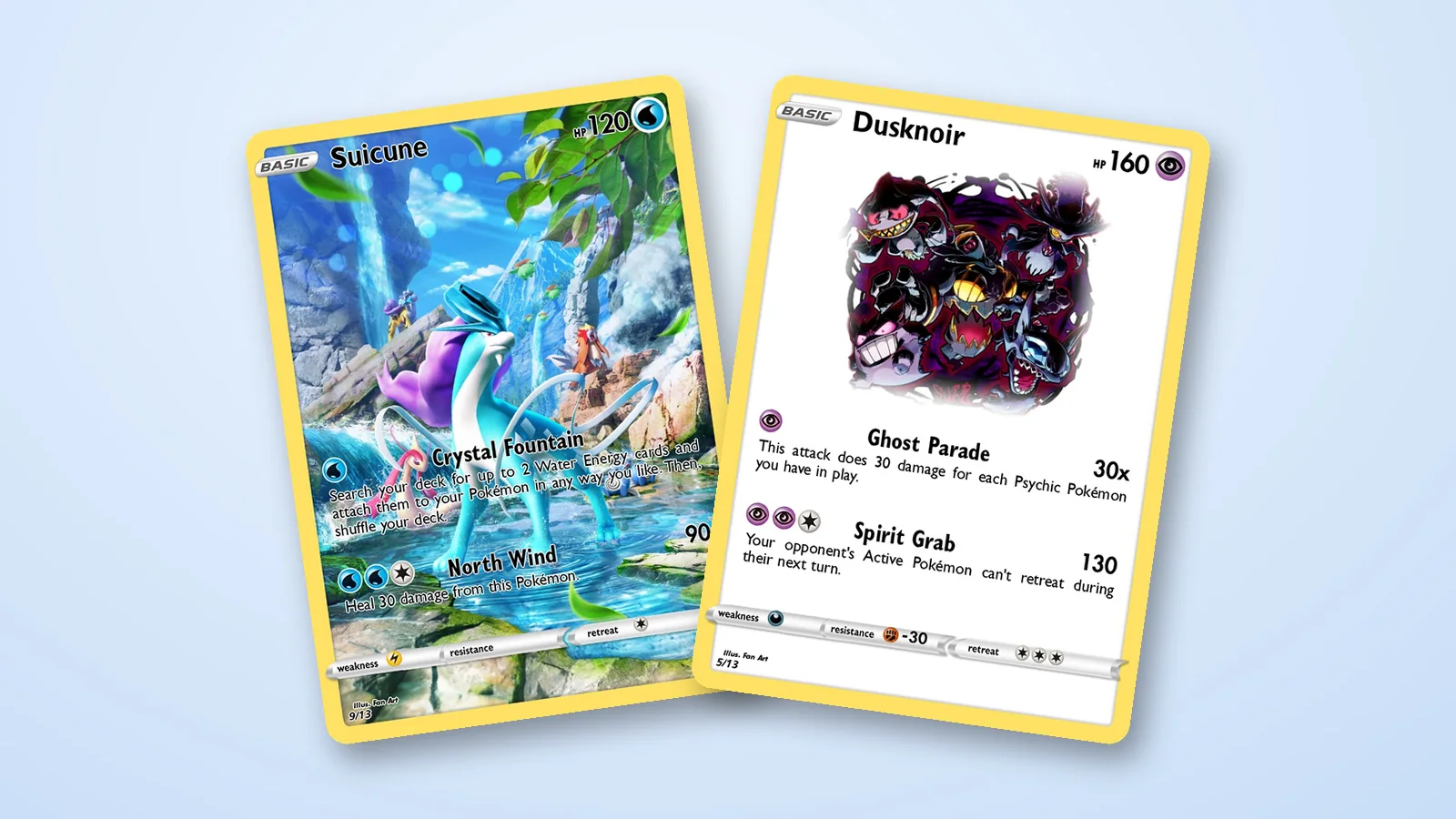
Choose the Sword & Shield frame, Basic style and Character Rare rarity. Pick Water for Suicune and enter a name and HP in Text. The Suicune example below uses 120 HP. With the Basic style, the upper left corner is free of an evolution portrait. That gives the scene a little more breathing room near the name.
Crop around the interaction
In Artwork, position the picture so the reader can follow Suicune’s gaze. For the pool scene, keep both its eye and the outstretched hand visible. If the hand falls under the attack text, move the picture and check the crop again. A clear gesture usually survives at card size better than a collection of tiny background details.
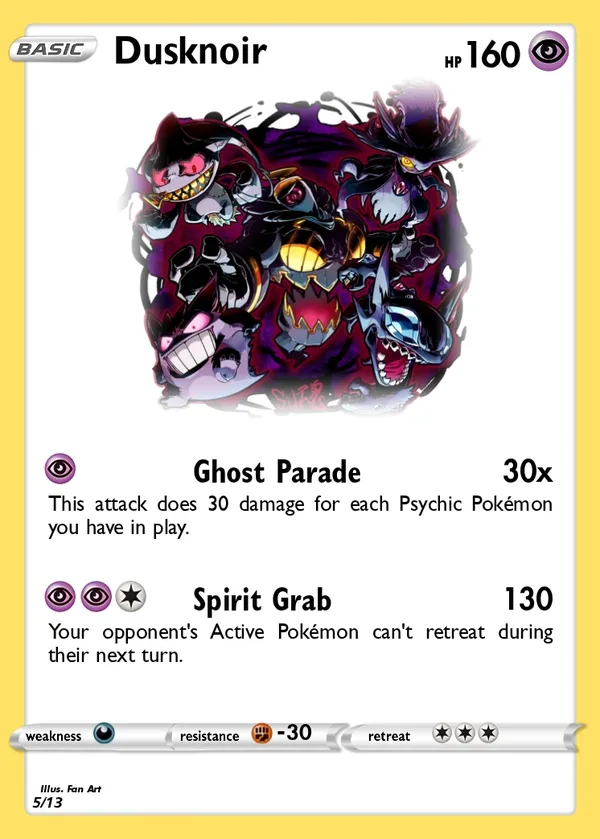
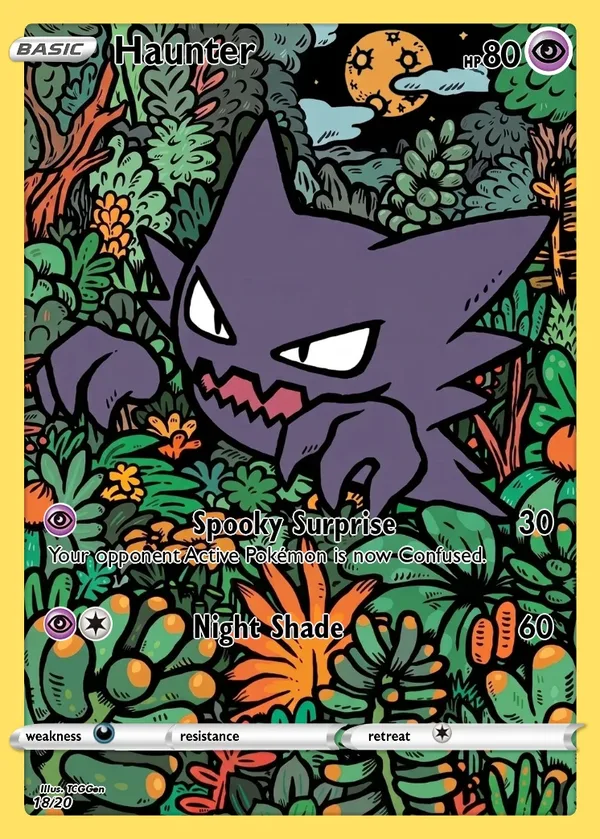
Try the same exercise with the two Psychic examples. Dusknoir gives you a large central figure to arrange around the text. With Haunter, the gap between its body and its detached hands is worth preserving. These fan cards use the Basic frame as a creative choice. For an evolution-line version, Haunter evolves from Gastly and Dusknoir evolves from Dusclops.
Read the finished card from arm’s length
Add an attack that belongs in your scene. A move called Still Water could have a single Water Energy cost and a short effect. Preview the card at 63 × 88 mm and check whether you can locate the Energy symbol, read the attack and still see the hand by the pool. The Pokémon Card Maker guide walks through the export once the crop works.
Three custom Character Rare cards
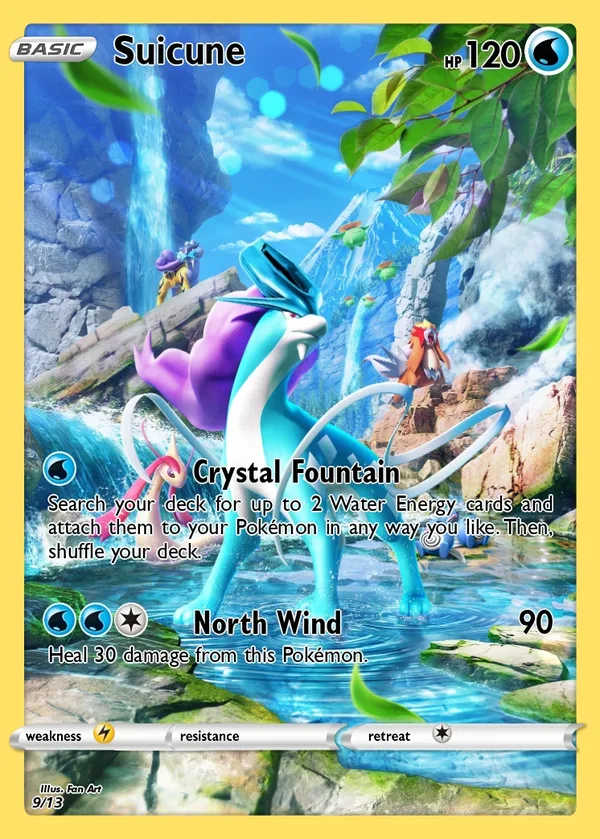
Suicune — Card design by DraconicTom
Dusknoir — Card design by DraconicTom
Haunter — Card design by DraconicTom