Chandelure needs room for its flames, Lampent needs a space in the corner, and the player needs to find the attack. A Stage 2 Character Rare asks one illustration to share the card with all three. Open the TCGGen Pokémon Card Maker and start with the header while you can still move the artwork freely.
Put the right evolution in the corner
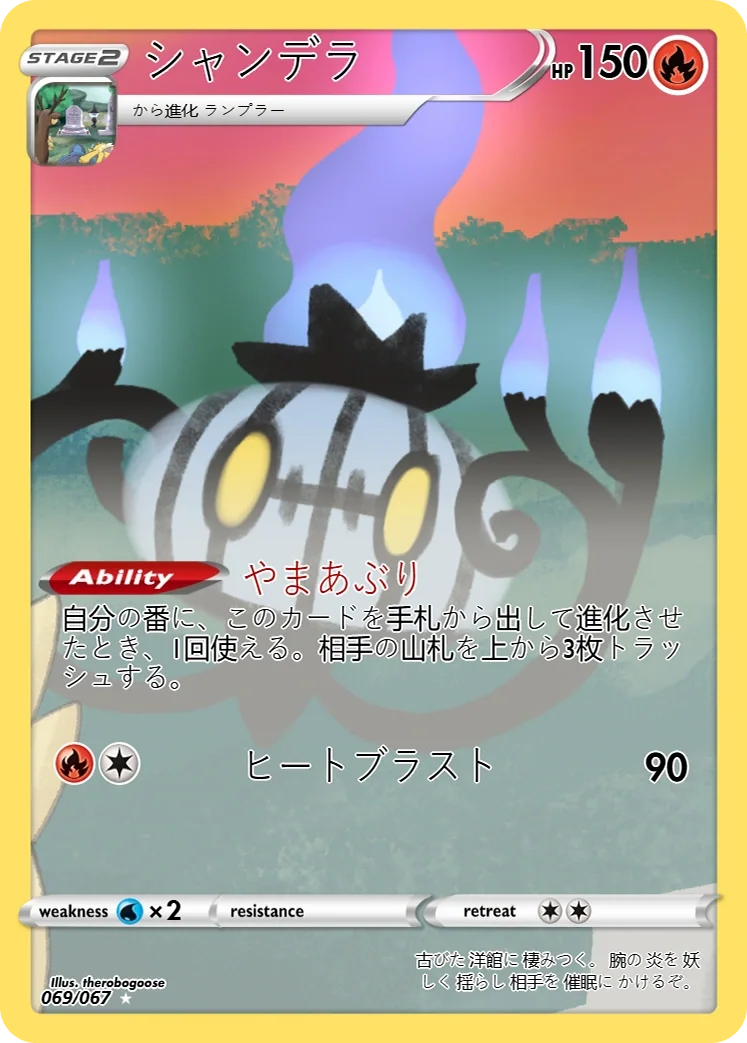
Choose the Sword & Shield frame, Stage 2 style and Character Rare rarity. For Chandelure, choose Fire and enter Lampent as the Pokémon it evolves from. Crop the small Lampent portrait separately from the main illustration. Its head and lamp shape should still be recognisable when you hold the card in your hand.
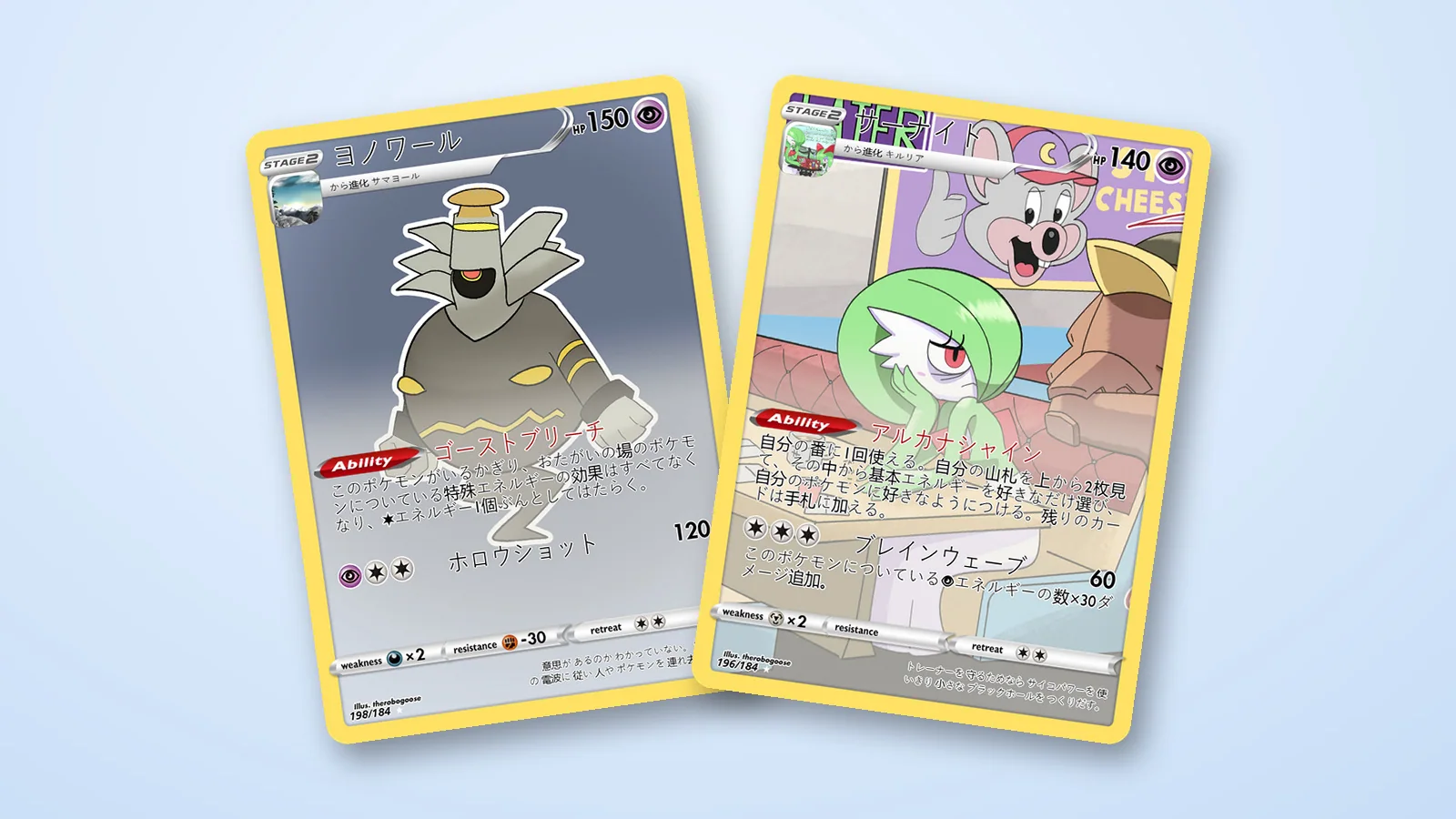
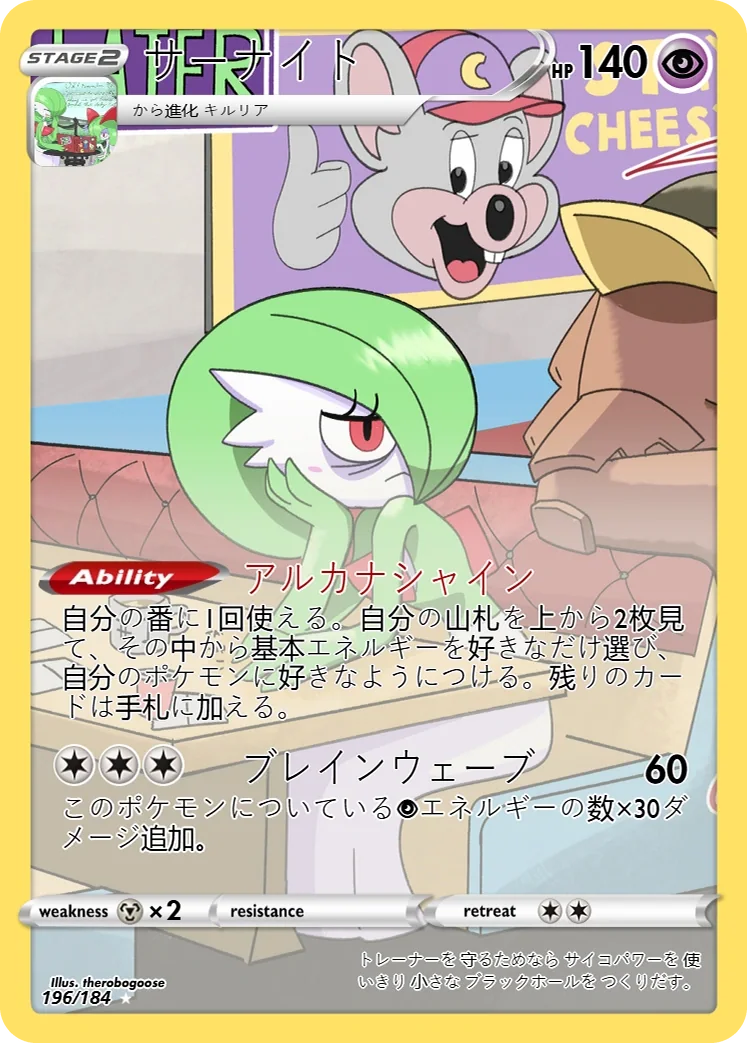
Dusknoir and Gardevoir use the same layout with a Psychic type. Their portraits belong to Dusclops and Kirlia respectively. To check your own pair, cover the large name and see if the corner picture and evolution line identify the previous stage on their own.
Make room for an Ability and an attack
In Moves, give each piece of text its own row. Our three examples retain the Japanese text from the reference cards. Chandelure has an Ability that takes effect when it evolves from your hand and a 90-damage attack. Gardevoir needs an extra line to explain how Energy affects its attack damage. Use whichever layout is closer to the card you want to make.
Find a clean part of the picture for the rules
Place a quiet patch of wall, sky or shadow under the longer text. On a card with bright flames, keep the brightest highlight near the subject’s face so it draws the eye up from the attack. Reduce the preview to 63 × 88 mm. Check the small portrait, the first line of the Ability and the symbol beside the HP. Open the Pokémon Card Maker guide for the final export steps.
Three Stage 2 Character Rare examples
Dusknoir · Gardevoir · Chandelure
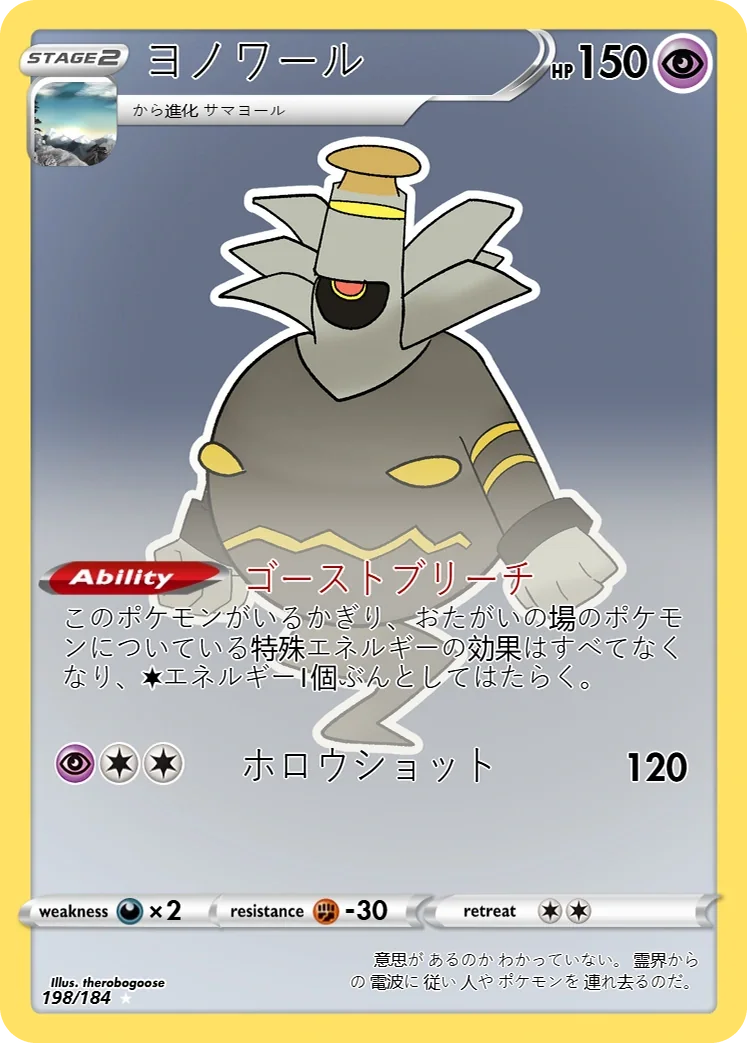
Dusknoir — therobogoose (Dusknoir) · therobogoose (Dusclops)
Gardevoir — therobogoose (Gardevoir) · therobogoose (Kirlia)
Chandelure — therobogoose (Chandelure) · therobogoose (Lampent)